Grain contract tracking software for farmers
Keep your grain contracts, delivery tickets and settlements in one book. See what is committed, what is still owed for delivery and the average price of your priced sales, by crop year.
No account needed for the fictional sample farm. Your own saved book is free during early access. See pricing.
From the buyer's document to your delivery balance
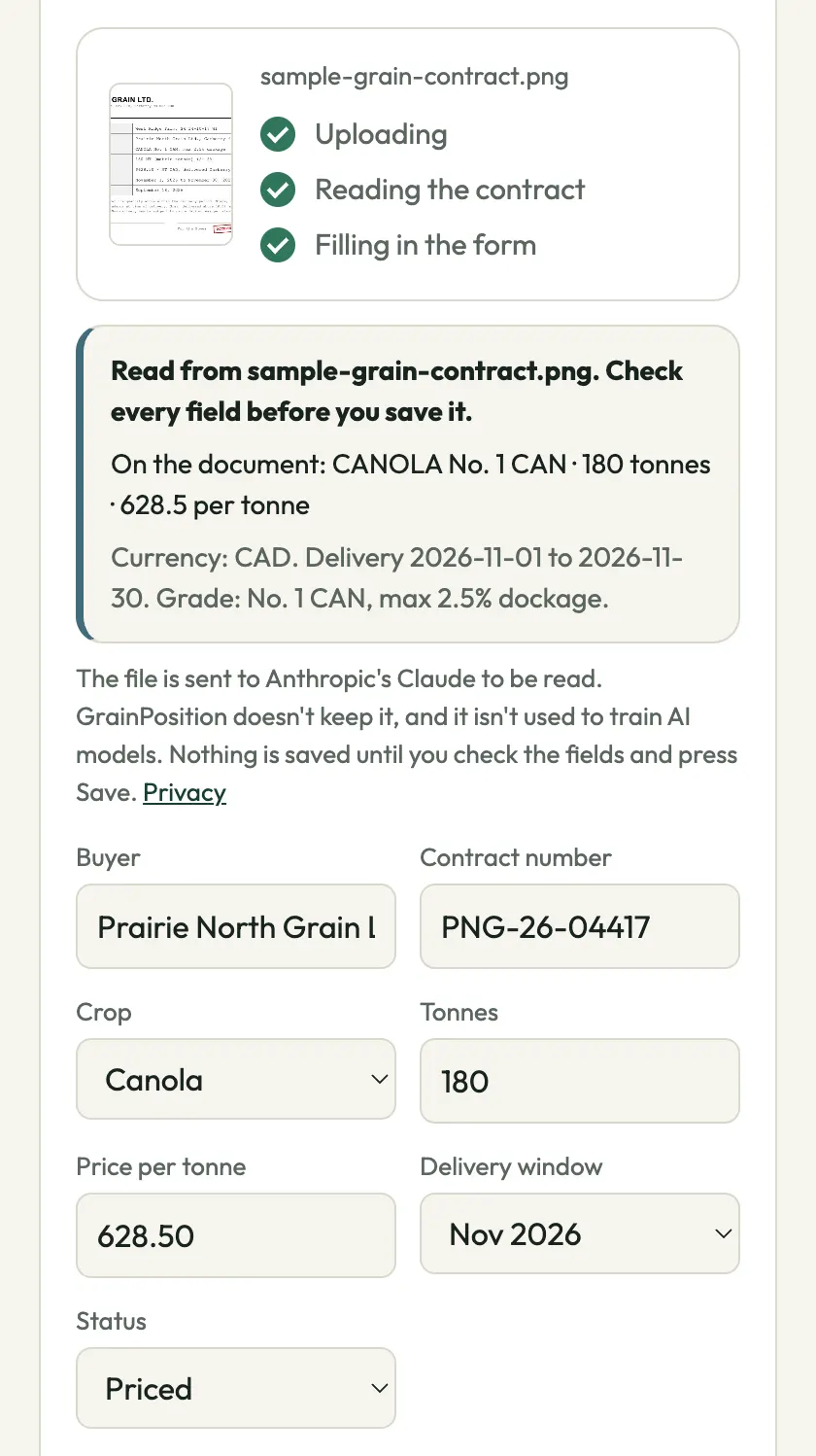
- Add the contractPhotograph it, choose a PDF or image, type it manually or import a spreadsheet. Review buyer, crop, quantity, price and delivery dates before saving. See the document-reading example.
- See what it commitsContracts count against the production you enter, including unpriced commitments. Fully priced contracts contribute to the weighted average. Basis and futures-only contracts keep the open pricing leg visible.
- Record loads as you haulAttach each scale ticket to its contract. Delivered tonnes come from saved loads, so the remaining delivery balance updates from the records.
- Check the settlementConnect the statement to its contract and tickets. Review deductions and missing evidence, then track payment. See the saved settlement workflow.
A contract changes both sales and delivery obligations
Fictional example: you expect 1,000 t of canola and save a fully priced contract for 200 t at $650/t. You are 20% committed, with 800 t not sold. After recording a 40 t delivery against that contract, 160 t remains to deliver. The sale did not disappear when the truck left.
With a second fully priced contract for 100 t at $680/t, the contracted average is $660/t on 300 t. An unpriced contract still commits grain but is excluded from that priced average. Expected production is your entry, not a satellite yield estimate.
Built for the way Canadian grain contracts are quoted
Work in tonnes or crop-specific bushels. Keep fixed, basis, futures-only and price-later contracts, delivery windows and pricing deadlines. Crop-year reporting runs August 1 to July 31. Where futures quotations and currency differ, the contract needs the applicable conversion inputs before a flat price can be worked out. US farms are supported too.
Start without rebuilding the whole farm
One current contract is enough to begin tracking delivery dates and loads. Add production when you want a crop-wide sold percentage. Bring an existing spreadsheet through the import review, or use the free workbook if a spreadsheet fits your needs. The contract tracking guide explains the same workflow by hand.
GrainPosition does not fetch contracts from elevator portals, provide live buyer bids or book a transaction from a photo without your review. Original document uploads are not archived on the server. Your saved records are private to the farm access you grant; see the privacy policy.
Questions before you start
Can I upload a PDF or photograph a grain contract?
Yes. Choose a PDF or image, take a phone photo or type the contract manually. Review and correct the proposed fields before saving. Reading a document does not save a contract by itself.
Does it connect directly to my grain buyer?
No. Add contracts and tickets yourself or import a spreadsheet. GrainPosition does not automatically retrieve records from elevator portals.
Can I start with one contract?
Yes. Add one current contract to track its delivery dates and loads. Add expected production to see percent sold and unsold grain; without production, a complete crop position is not available.
Try a contract already in the book
Open the sample farm to follow a fictional contract through its loads and settlement. Nothing you do there changes a real farm.
Explore the sample farmCheck a grain settlement from a photo
Upload a photo or PDF to see the settlement's figures explained and checked. Add the contract to compare its price, grade and freight.
Check a settlement photoFree, no account. Review the extracted figures before checking. Documents are processed by Anthropic and are not stored. Privacy