The buyer sends a contract
Buyer, number, crop, quantity, price and delivery window.
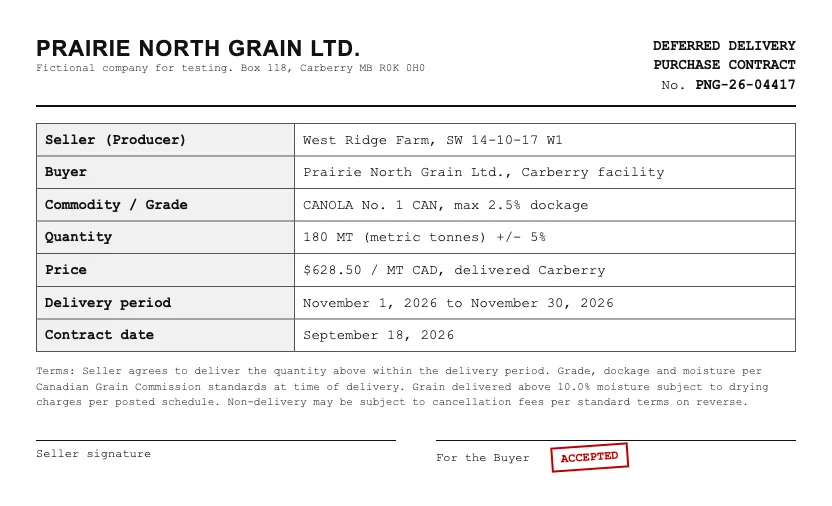
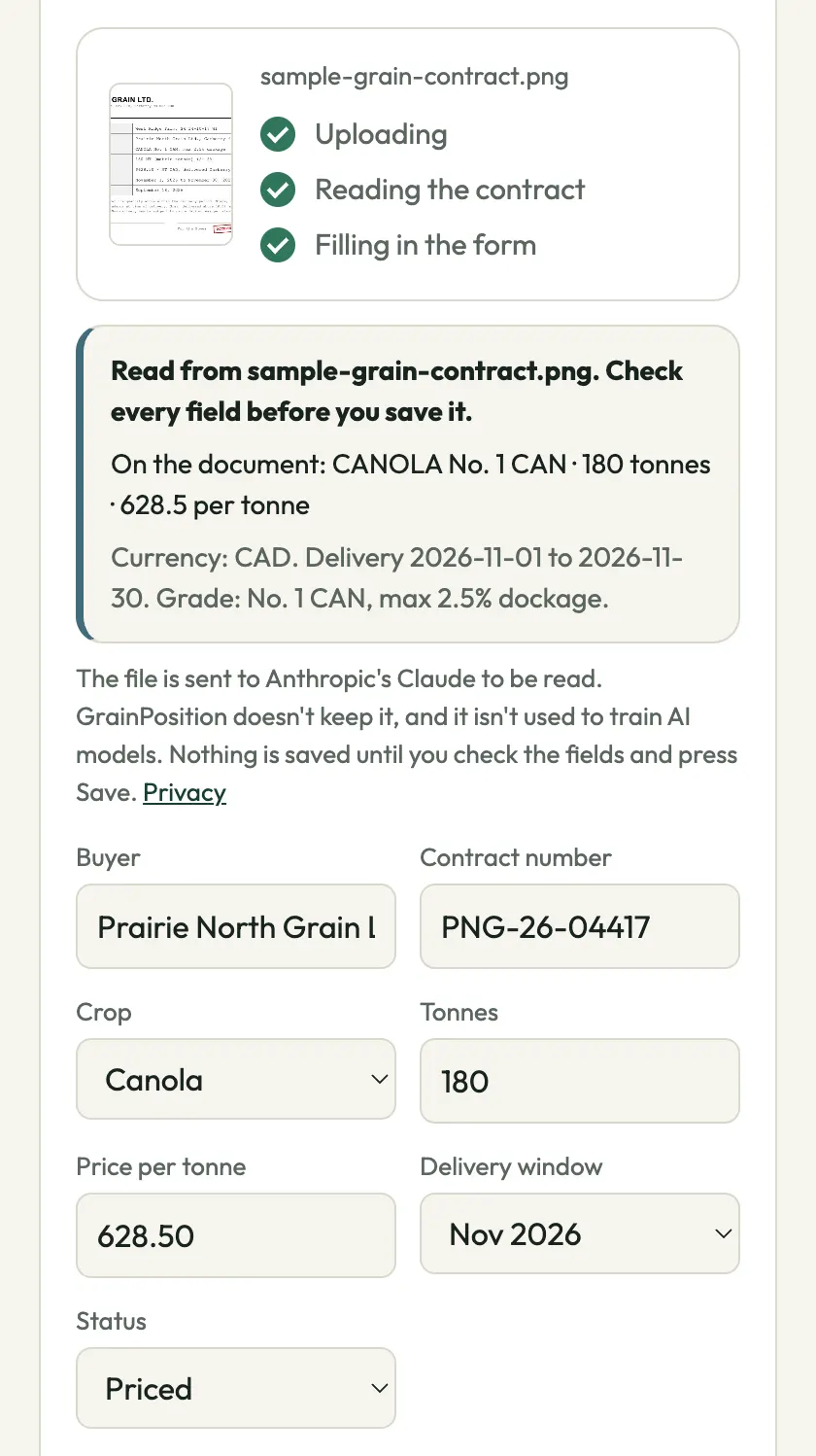
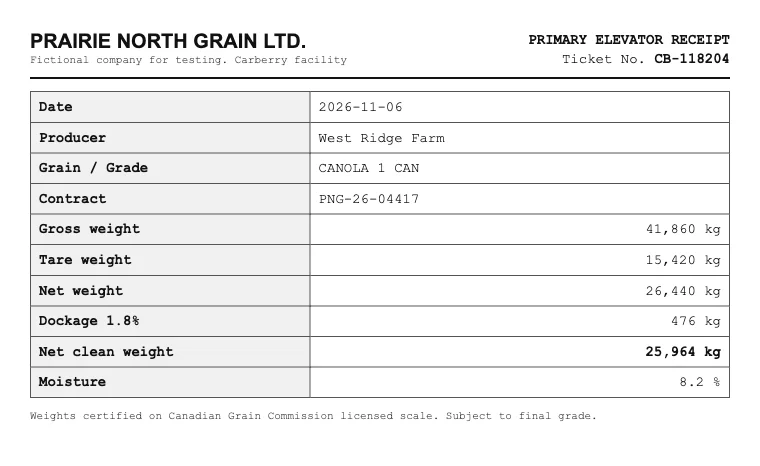
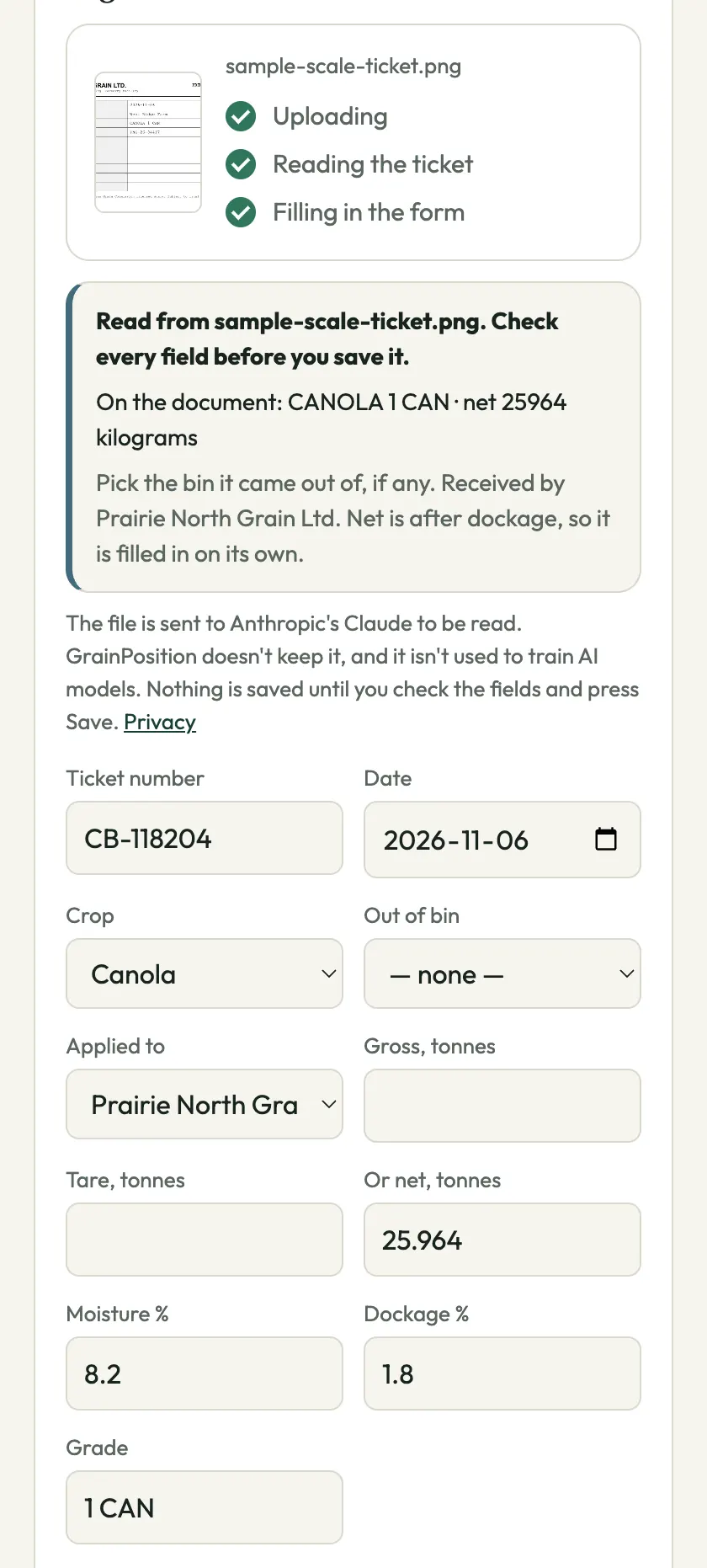
Take a photo of the contract the buyer gave you. GrainPosition reads the buyer, contract number, crop, quantity, price and delivery window, and fills them in for you to check. Then do the same with the scale ticket, and with the settlement.
Explore the full grain contract tracking workflow, including sold percentage, remaining deliveries and crop-year averages.
A contract isn’t finished when it’s signed. The truck goes out, and weeks later the settlement comes. Each one is a photo too, and each one is tied back to the contract. (How to track grain contracts covers each step if you do it by hand.)
Buyer, number, crop, quantity, price and delivery window.
Ticket number, date, weights, moisture, dockage and grade. If the contract number is on the ticket, the load goes on that contract.
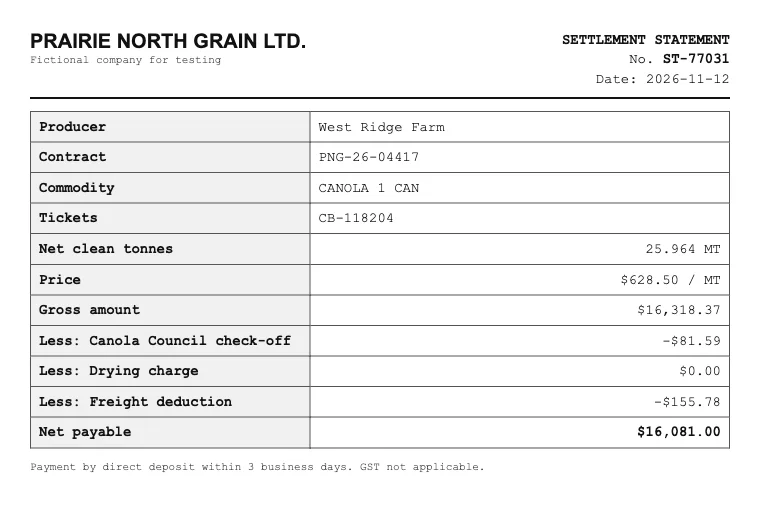
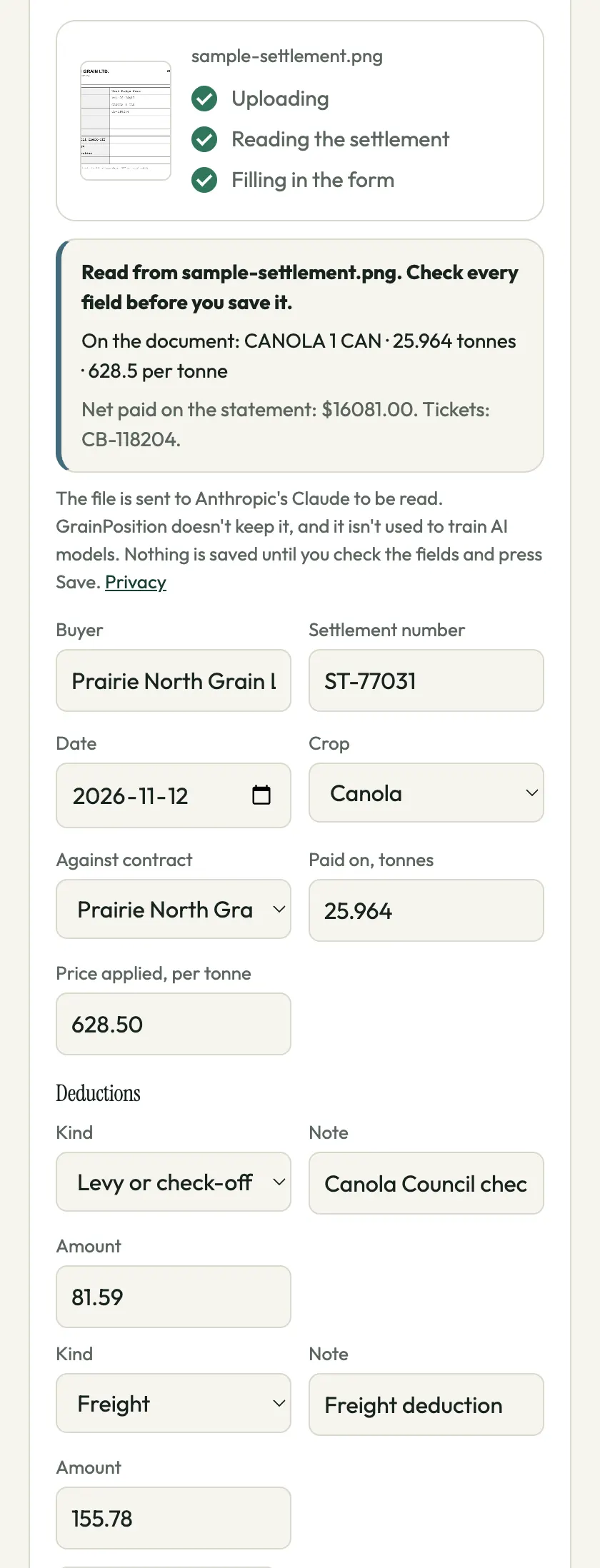
Quantity, price and every deduction, checked against the gross on the statement.
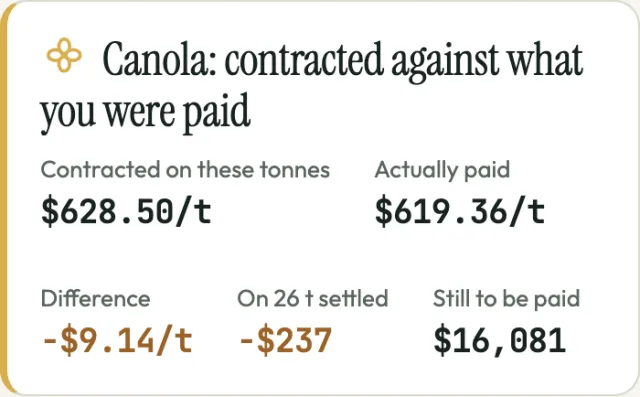
With the contract and its settlements in, the dashboard shows what you contracted against what you were actually paid. On the sample, $628.50 a tonne on the contract and $619.36 actually paid: $9.14 a tonne went to the check-off and freight.
Don’t have the app? The free settlement checker does the same sum for one settlement, and splits the difference into price, weight and deductions.
| Document | Fills in | Also |
|---|---|---|
| Contract | Buyer, contract number, crop, quantity, price, delivery window, priced or open | Notes what it saw on the page, such as the currency, grade and dockage limit |
| Scale ticket | Ticket number, date, crop, gross, tare or net weight, moisture, dockage, grade | Finds the contract if its number is on the ticket; you pick the bin it came out of |
| A buyer’s offer | Buyer, crop, quantity, price and delivery month, from a screenshot of a text or email, or the words pasted in | Shows what taking it does to your book before you answer: how sold it makes you, the new average price, what’s due that month. Nothing is saved unless you press Save |
| Settlement | Buyer, settlement number, date, crop, quantity, price, each deduction | Also reads the grade and the net printed on it. Checks quantity times price against the gross on the statement, and flags it if they don’t match. Ticks the scale tickets it lists, so the app can split the difference from the contract into price, weight and deductions |
It reads what’s printed. If a field isn’t on the document it’s left empty, and if the photo isn’t a contract at all it says what it looks like instead. Quantities in bushels or pounds are converted to tonnes with that crop’s bushel weight.
The file is sent to Anthropic’s Claude to be read, and the fields it finds come back to fill in the form. GrainPosition does not archive the file on its server. The app's offline capture queue can keep a device-only copy until it is read, with proposed fields kept for review until saved or deleted. Captures expire after 7 days and are cleaned up when the queue is next opened; signing out clears this device's queue. Anthropic doesn’t use it to train its AI models; it may keep it for a limited time under its own terms, for example to detect abuse. What is kept is the contract you save, and a record that a read happened, without its content, to cap reads at 25 per farm per day. The privacy policy has the details.
The video goes through a season on one phone: a new contract, the scale ticket and the settlement, each from a photo taken with the phone’s camera, then the settlement checked line by line, the bins on a yard map and the one-page report for the bank.
The captions are written out on the video page.
The farm, the buyer and the documents here are fictional samples. Reading photos works in the app today, in free early access. The sample farm on the homepage doesn’t save anything, so it doesn’t read photos.
It is built to read printed grain purchase contracts, including deferred delivery, basis and price-later contracts, from any buyer. It has been tested on sample documents; early access is where it meets real contracts from many buyers. If one of yours reads badly, send it and it gets fixed.
Yes. Pick the PDF the buyer emailed, or take a photo of the paper copy. Photos are made smaller on your phone before they are sent, so a weak signal in the yard is less of a problem.
It is converted to tonnes using that crop's bushel weight, and the app shows it in bushels or tonnes, whichever you choose.
It is sent to Anthropic's Claude to be read, and the fields come back to fill in the form. GrainPosition does not keep the file. Anthropic does not use it to train its AI models; it may keep it for a limited time under its own terms, for example to detect abuse.
Not there: the sample farm doesn't save anything, so it doesn't read photos either. Reading photos works in the app, in free early access, and the free settlement check reads a settlement's photo with no account. The one-minute video shows the whole thing.
GrainPosition is in free early access. Access is set up personally, and I’ll help you get your book in: from your spreadsheet, or from photos of your contracts.
Set up my grain book Look around a sample farmUpload a photo or PDF to see the settlement's figures explained and checked. Add the contract to compare its price, grade and freight.
Check a settlement photoFree, no account. Review the extracted figures before checking. Documents are processed by Anthropic and are not stored. Privacy